Section
Playground
A public, server-free Neural ODE playground -- pick a dataset, edit the network, and watch a real model train live in your browser.
Live
This is a trimmed, public build of vZero, a TensorFlow-Playground-class research environment for Neural ODEs built around a chemical-kinetics problem (H2/O2 combustion). Everything below runs entirely in your browser – no server, no data leaves this tab, and it works even if you’re offline. Pick a dataset, edit the network’s width and depth, choose an activation, and watch a real gradient-descent loop train live.
This is intentionally a SMALL slice of the full project: the classification/regression toy-dataset playground only, with a from-scratch multi-layer perceptron (own weight init, own hand-derived backprop – see the project write-up for what that means and why). The full local research environment adds Cantera chemical-kinetics trajectories, a continuous-depth Neural-ODE classifier peer, hyperparameter search, reinforcement learning, exportable notebooks, and multi-language code export (Python/JAX/Julia) – none of which can run without a real backend, so none of it is here. Read the full story on the project page or browse the source for the complete environment.
What you’re actually looking at
- 9 datasets. The original 6 (circle, XOR, two-Gaussian, spiral, plane regression, Gaussian-mixture regression) are a faithful re-implementation of the exact formulas TensorFlow Playground’s own
dataset.tsuses (Apache-2.0 licensed; re-derived a second time in this browser build from the main project’s own Python port, not copied from the JS original – see the project’sACKNOWLEDGEMENTS.md/CITATIONS.bib). 3 more are written directly for this playground, not ported from anywhere: moons (two interleaving crescents), checkerboard (a 4x4 alternating grid, a harder multi-region generalization of XOR), and rings (three nested alternating bands, a harder generalization of circle). - Bring your own data. A CSV upload (3 columns:
x, y, label, label -1/0/1) trains the same network on whatever you provide – parsed and kept entirely in your browser (FileReader, nothing ever leaves the tab), capped at 2,000 rows. - Your personal best, per dataset, saved in this browser’s own local storage – never shared, never a public leaderboard (that would need a real server this static build deliberately doesn’t have). Beat your own last run and it tells you.
- The network is a real multi-layer perceptron – Linear-then-activation, repeated per hidden layer, trained with Adam, mini-batches, and (optionally) L1/L2 regularization – with its own independent weight initialization and hand-derived backpropagation. It is verified to reach comparable accuracy to the main project’s PyTorch implementation on the same datasets (roughly 75%+ test accuracy within 200 epochs on circle/gauss/xor), not to reproduce it bit-for-bit – different languages, different random-number streams, same architecture and same problem.
- The decision surface, loss chart, and network diagram are the exact same visualization components the full local playground uses – this build only swaps out where the training data comes from (a live WebSocket from a real server, vs. a training loop running on your own CPU right now), not what renders it.
- Two things TensorFlow Playground doesn’t have. Every hidden (and readout) neuron in the network diagram carries its own small activation-heatmap preview – what that one neuron alone has learned, not just the combined output surface. And the loss function is a real picker, not fixed: squared error (TF Playground’s own only option) or cross-entropy, so the textbook accuracy-vs-loss distinction is something you can actually toggle and watch change, not just read about.
Built with Claude Code across an 11-session multi-week collaboration. Full continuity log, design decisions, and the complete (non-public) research environment live in the project’s own repository.
Learn
-
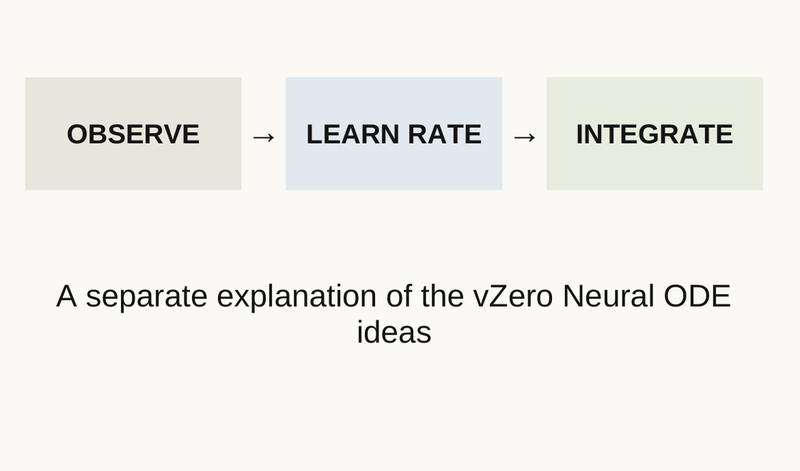 State, rate, trajectory: the three things a Neural ODE must not confuse Open in the Studio
 -
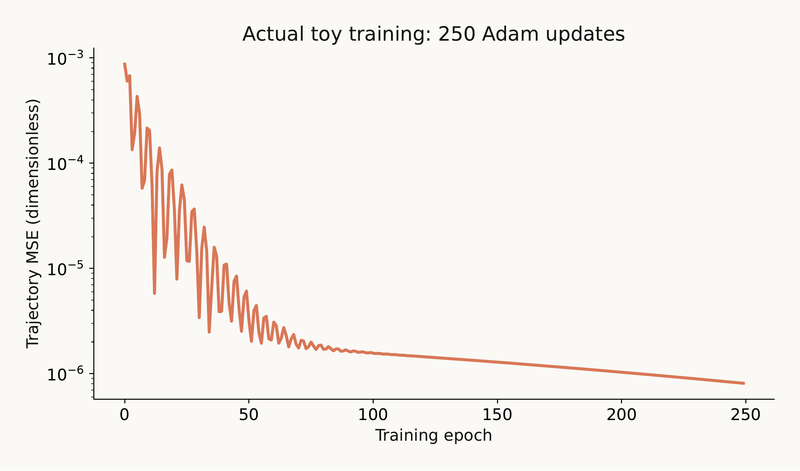 A complete small learning loop: fit with Adam, test beyond the training window, and check the gradient three ways Open in the Studio
 -
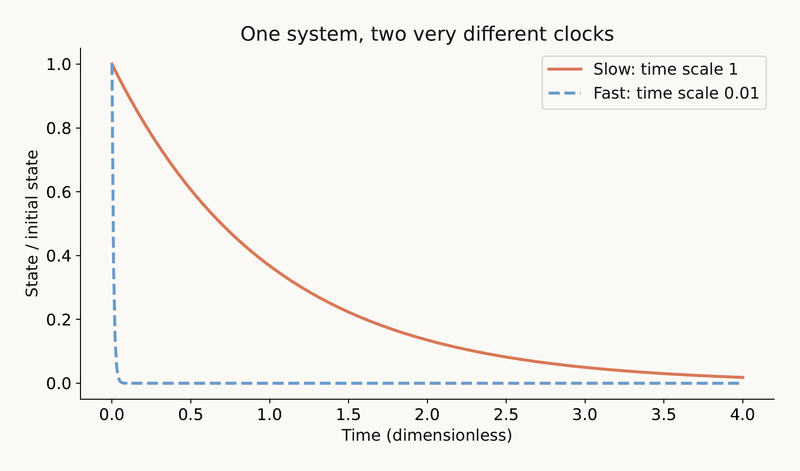 Two clocks, one step size: why stiffness limits the solver and why a change of coordinates must be checked Open in the Studio
 -
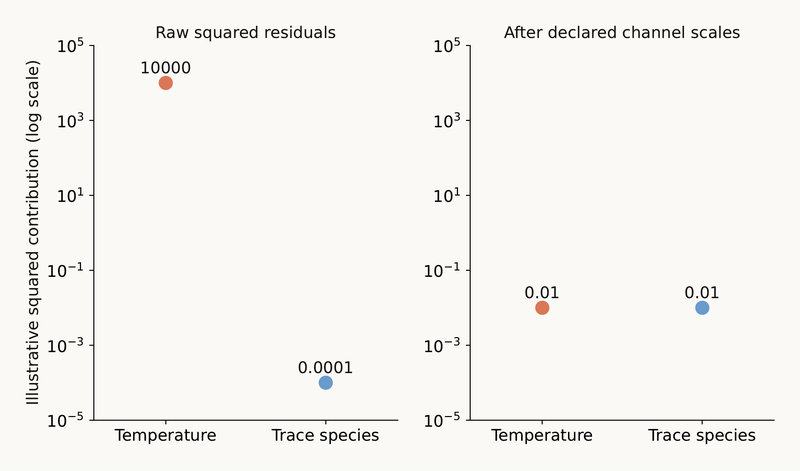 Which channel is loud? Scaling, gradients, power means and a loss landscape as four views of the same question Open in the Studio
 -
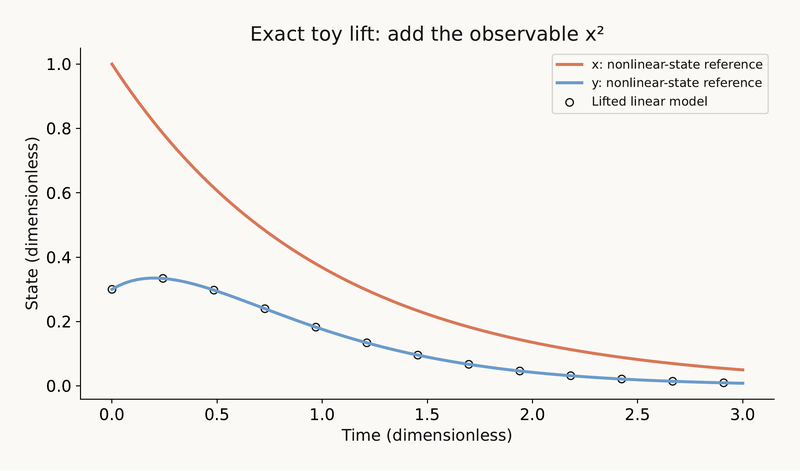 Making nonlinear dynamics look linear: lifts, snapshot fits and low-dimensional models Open in the Studio
 -
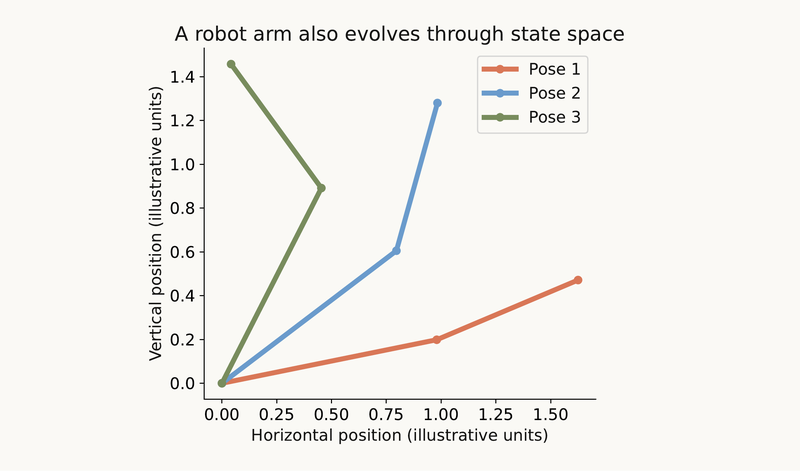 Put the structure in the model: valid inertia, valid rates, graphs, and what a sensor can see Open in the Studio
 -
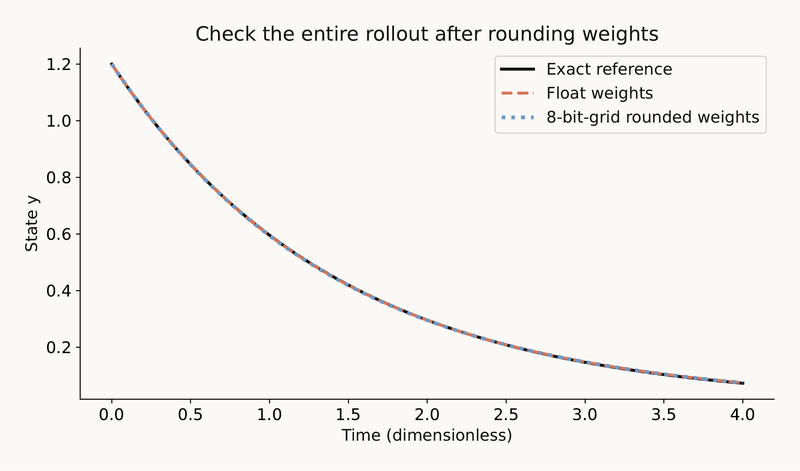 Round it, export it, compare it: the checks that remain after the model is trained Open in the Studio
Concept explainers
- The adjoint method gets the gradient of a loss through an ODE solve by integrating one more ODE backwards, and a finite-difference check proves it right
- Making nonlinear dynamics look linear: Koopman lifts, snapshot fits (DMD) and low-dimensional modes (POD)
- A latent neural ODE learns the dynamics in a few coordinates: encode, evolve, decode, and check what was lost
- The shape of the loss decides how fast training goes: curvature, condition number and why optimizers behave differently
- A neural ODE learns the rate law: the network is the right-hand side of dy/dt, and its picture is a vector field
- A power mean turns a loss into a dial between average and worst case, and scaling decides which variable owns the gradient
- Rounding the weights to a grid: step size, error bounds, and how the error travels through a network and a rollout
- One-step loss can look perfect while the rollout drifts: training on longer horizons exposes the error that compounds
- A stiff system makes an explicit solver crawl, and a neural ODE has to learn that same right-hand side
Documents
Experiments
optimizer race
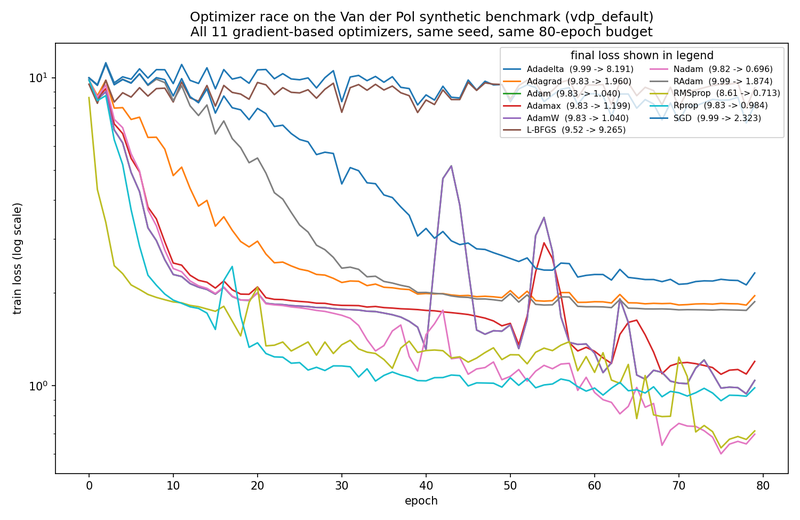
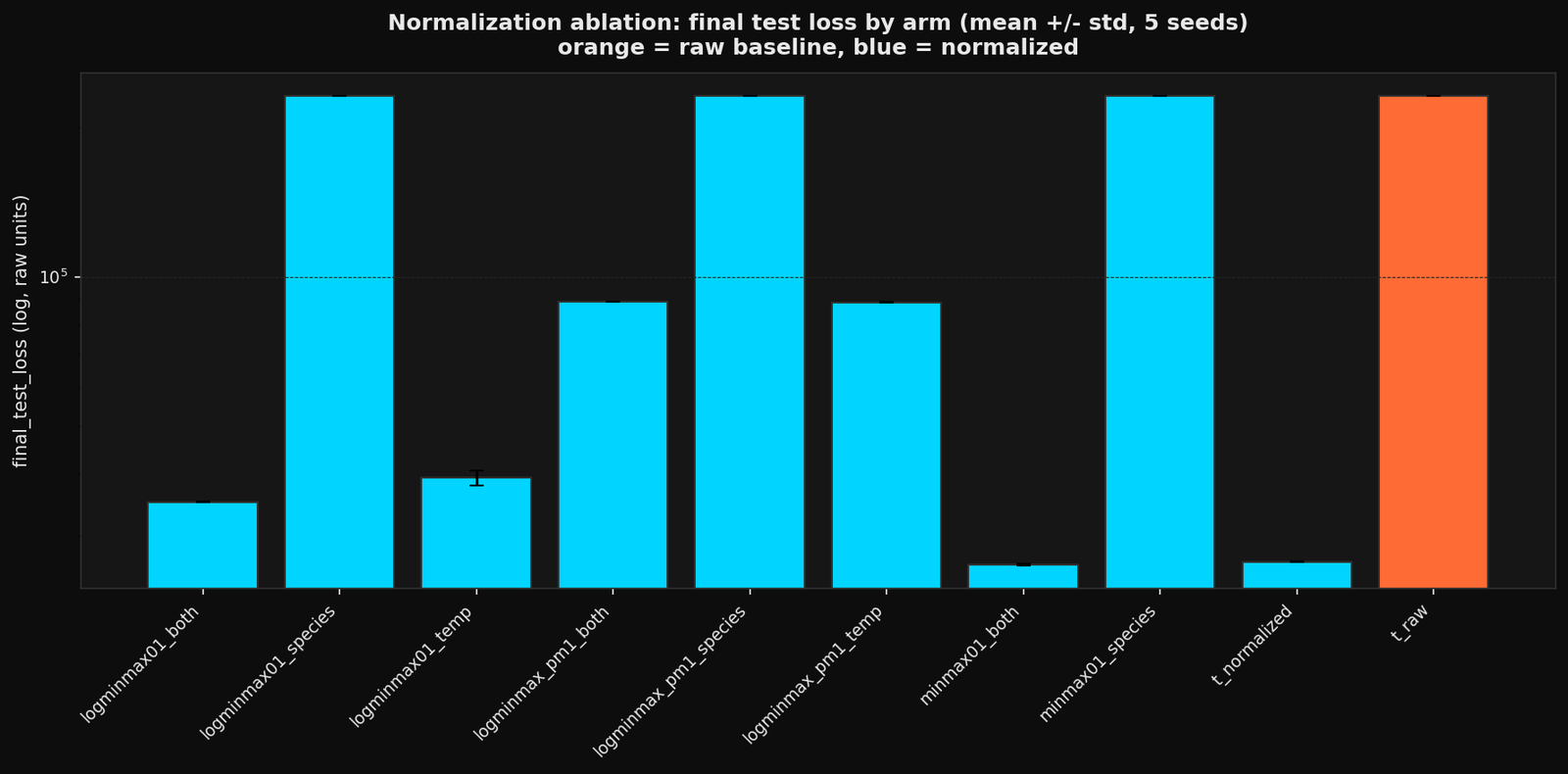
ablation
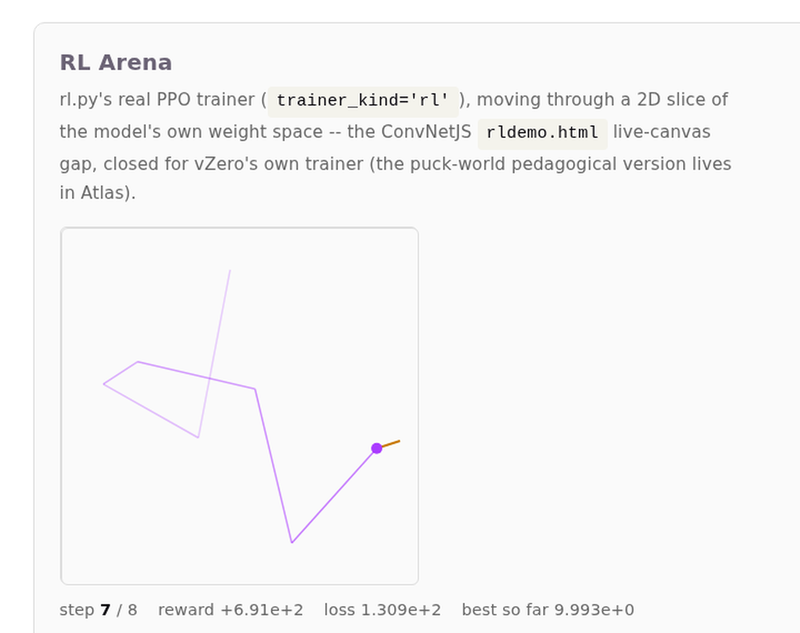
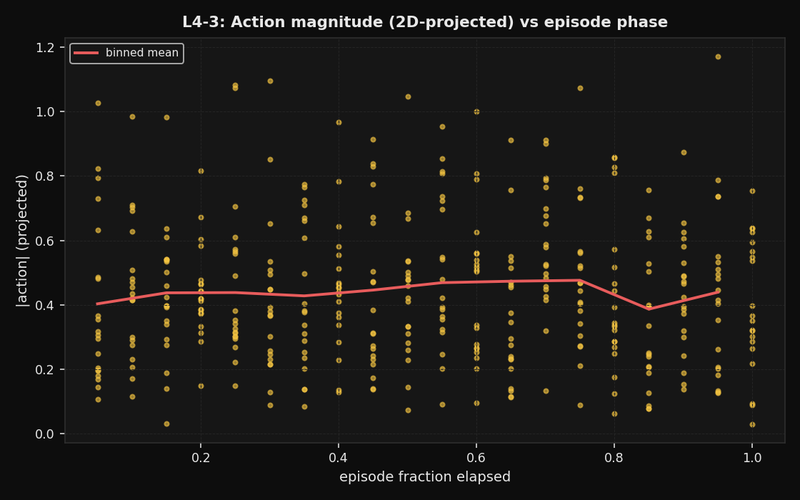
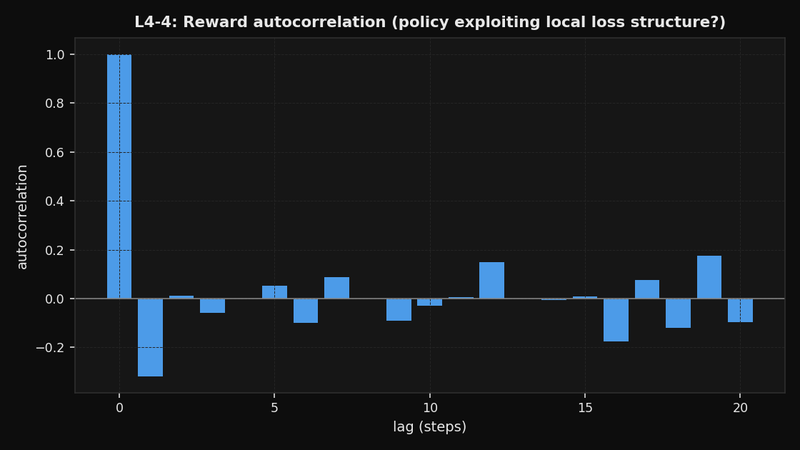
rl arena
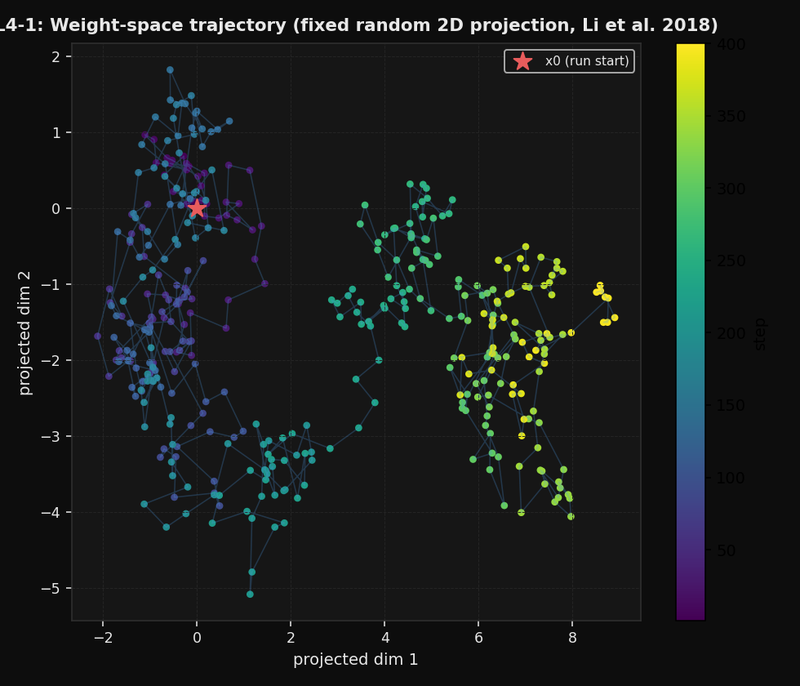
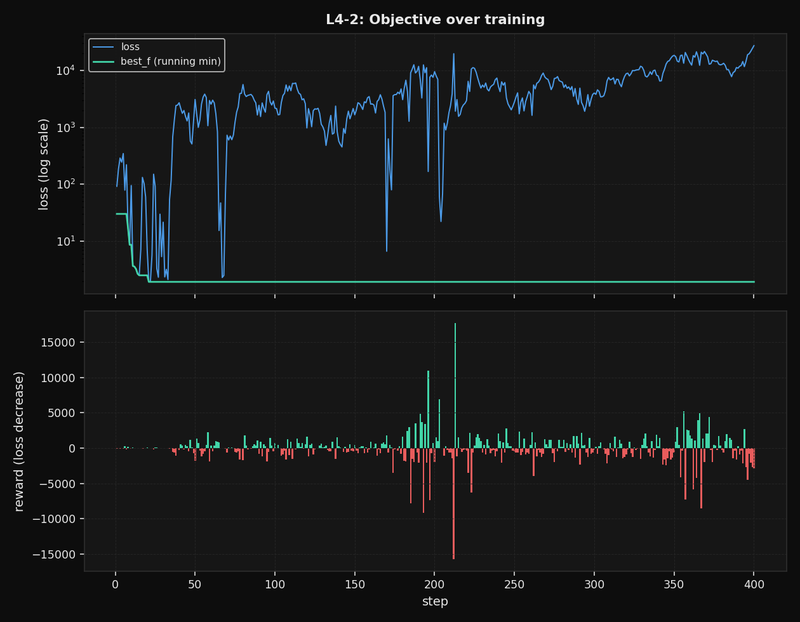
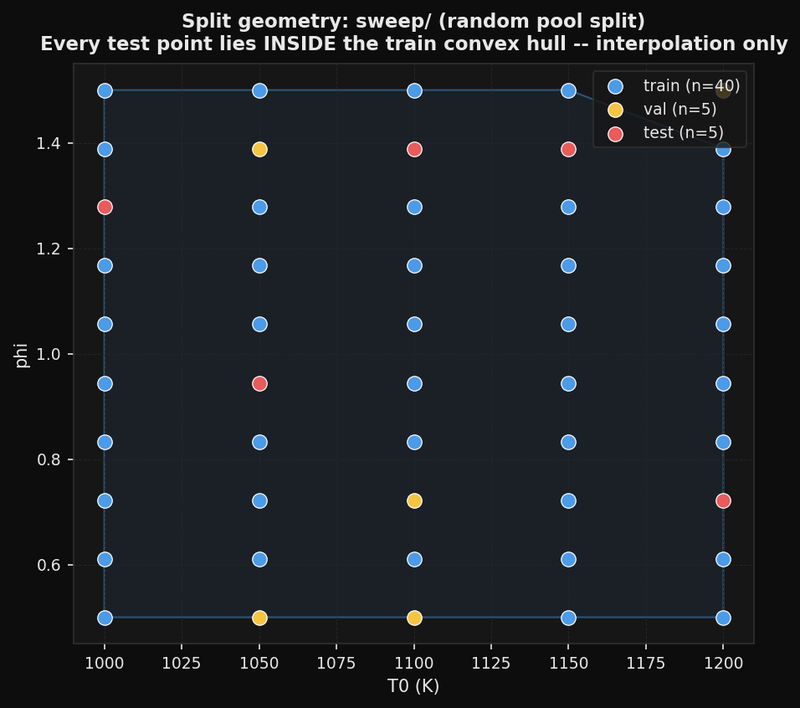
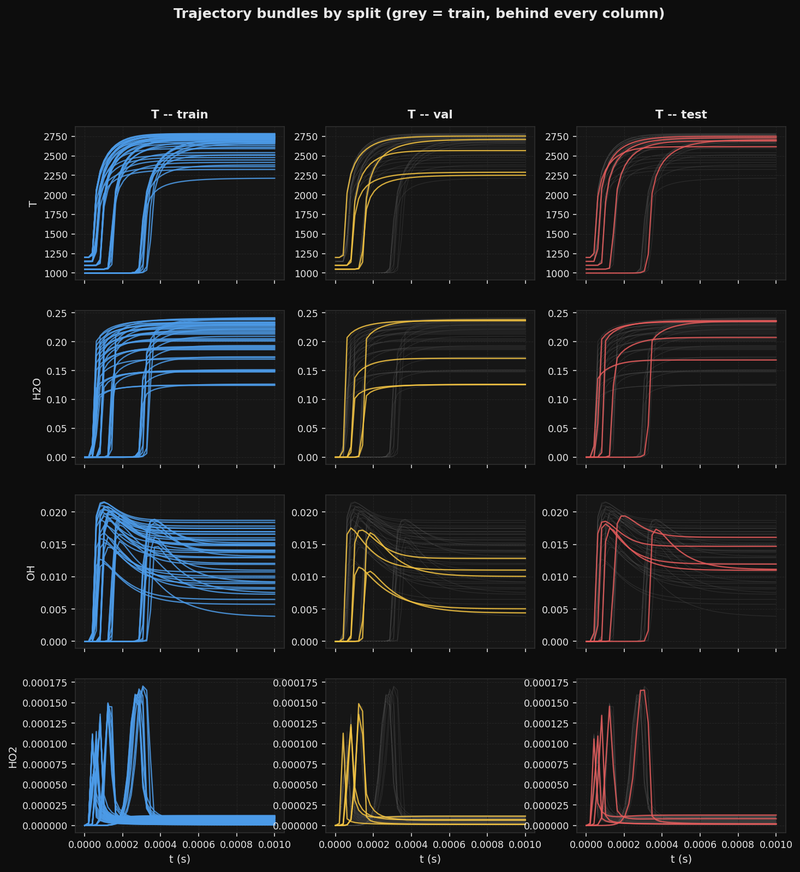
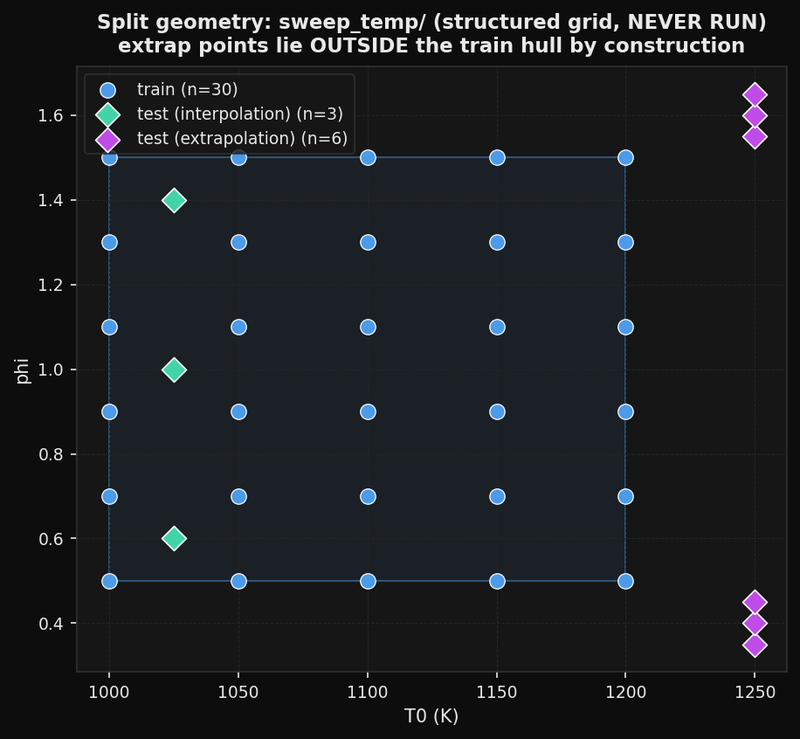
dataset geometry
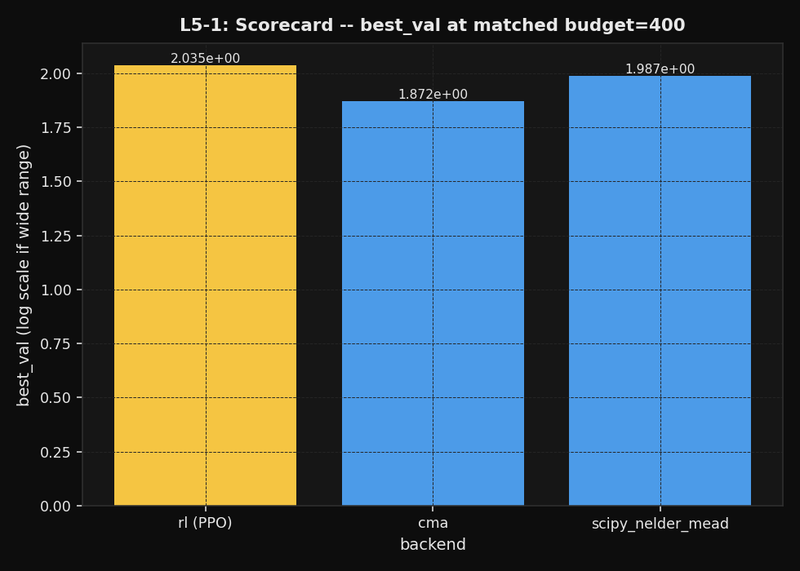
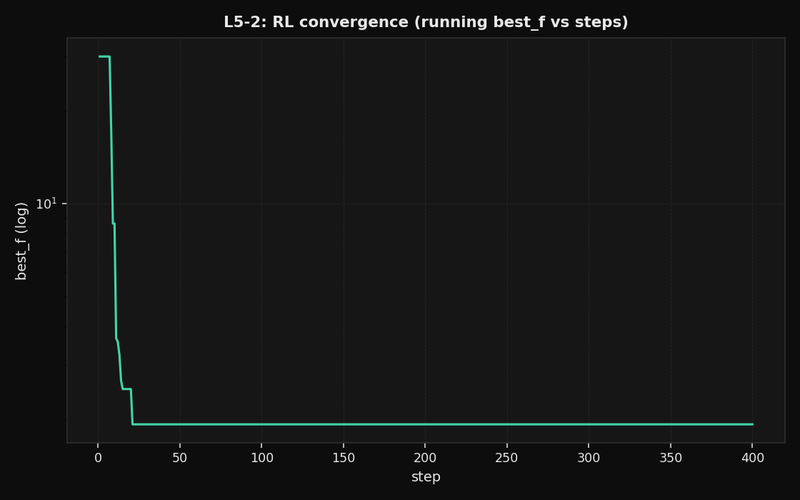
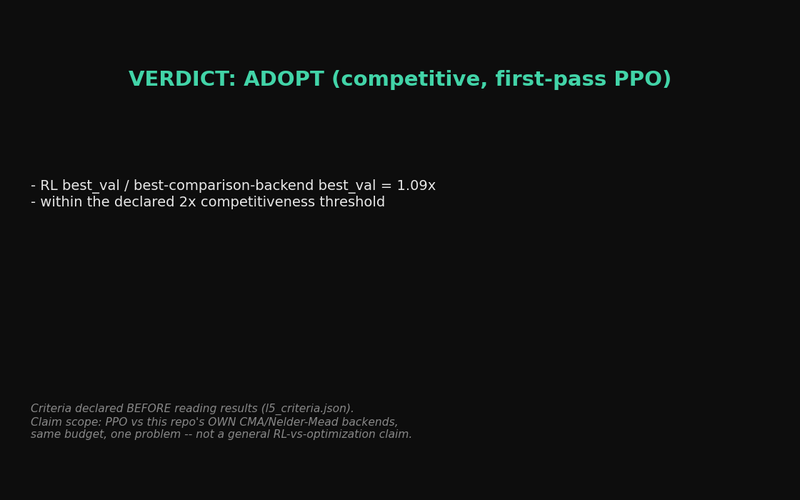
rl evaluation
curriculum